Christmas Pet Video Template
The Christmas Pet Video Template turns one photo of your cat or dog into a vertical 8-second holiday clip: your pet sits by a glowing Christmas tree in a red knit scarf, tilts its head and blinks while snow falls outside and the camera slowly moves in. You upload a photo of the pet on its own; it runs on Veo 3.1 in 9:16 with sound and costs 13 credits (about $0.69). Post it on Reels or TikTok, or send it to family as a video card.
Updated 2026-10-29 · Kensa team
Example made with this template
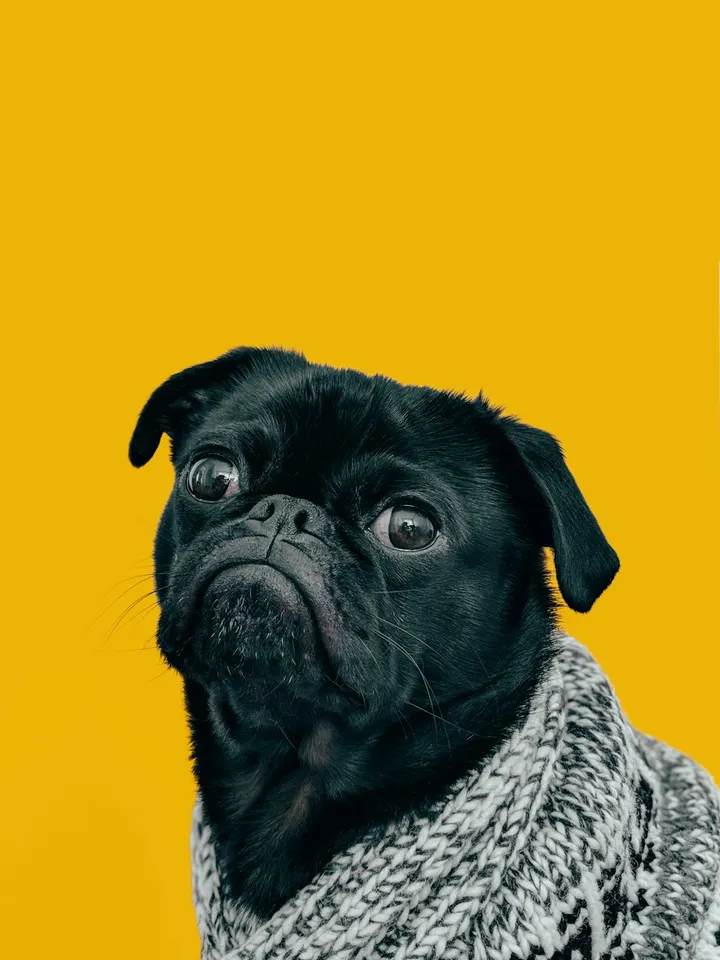
Input photo
Which photo works best?
Use a sharp photo of your pet alone, sitting or lying calmly, with its head and front paws clearly visible, taken indoors in good light. A photo taken at home near your tree or some lights blends in best. Leave people out of the photo: the video models reject photos of real people.
How do I use the Christmas Pet Video Template?
- 1
Open the template
Click “Use this template”. The image-to-video page opens with the Christmas prompt, model, length and vertical aspect ratio already filled in.
- 2
Upload a photo of your pet
Add one calm photo of your cat or dog. The clip starts from this photo, and the model builds the tree, the scarf and the snowy window around your pet.
- 3
Make the scene yours
Change the scarf color, swap it for a holiday collar or a bow, or describe your own tree. Keep the line that tells the model to keep your pet's fur and markings unchanged.
- 4
Generate and share
Generate the clip, check that your pet looks like your pet, then download the MP4 to post or send as a Christmas greeting.
How can I make it my own?
- If your pet already wears a scarf, sweater or collar in the photo, describe that in the prompt instead of the red knit scarf, so the model doesn't add a second one.
- Calm photos work best. The motion here is small (a head tilt, a slow blink), so a pet sitting still in the photo gives the cleanest result.
- Describe your tree (white lights, gold ornaments, a small tabletop tree) so the scene looks like your home rather than a generic one.
- Add “Merry Christmas” as a caption in your editor afterwards rather than in the prompt: generated lettering often comes out garbled.
What prompt does this template use?
This is the prompt filled into the generator. Edit it freely before you generate.
The pet from the photo sits beside a glowing Christmas tree in a cozy living room, wearing a red knit scarf. Snow falls softly outside the window behind it, warm fairy lights twinkle in soft bokeh, and the pet tilts its head, blinks slowly and gently moves its tail while the camera makes one slow push-in. Keep the pet's fur, markings and face exactly as in the photo. Warm, festive, cinematic lighting. No other animals or characters. No text or logos. No people.
Frequently asked questions
My photo has no Christmas tree in it. Will that work?
It can. The model adds the tree, the scarf and the snowy window around your pet, but because the clip starts from your exact photo, the change can look abrupt or the decorations can look out of place. A photo taken at home, ideally near a tree or some lights, blends in more naturally.
Will it keep my cat's markings?
Usually, because the clip starts from your photo and the motion is small. The scarf covers part of the neck and chest, and fine patterns can soften. Check the result and regenerate if your pet doesn't look right.
Can I add presents or a stocking to the scene?
Yes. Add them to the prompt, for example “a wrapped present beside the tree”. Keep additions small and few: the more the model has to add around your pet, the more likely the scene changes abruptly or the pet itself shifts.
Does the Christmas video have sound?
Yes. Veo 3.1 generates audio with every clip. For a holiday greeting you may prefer your own music: mute the generated sound and add a track in your editor or in the app you post from.
How much does it cost to make one for each of my pets?
Each clip costs 13 credits (about $0.69), so the total is that amount per pet. New accounts created with Google sign-in get free credits to try the first one.