Pet Dancing Video Template
The Pet Dancing Video Template turns one photo of your cat or dog into a vertical 8-second clip of it standing up on its hind legs and bouncing to an upbeat rhythm in a cozy living room. You upload a clear photo of the pet on its own; it runs on Veo 3.1 in 9:16 with sound, costs 13 credits (about $0.69), and keeps the fur color and markings from your photo. Post it on TikTok, Reels or Shorts.
Updated 2026-10-29 · Kensa team
Example made with this template
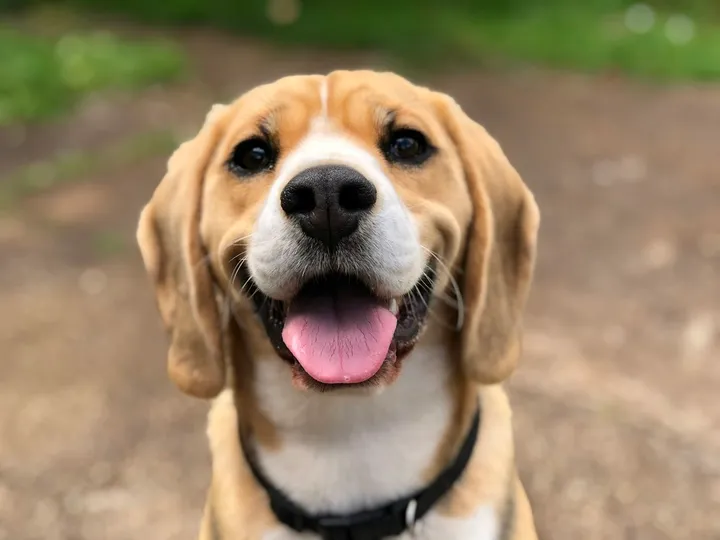
Input photo
Which photo works best?
Use a sharp, well-lit photo of your pet alone, with its whole body in frame from nose to tail, ideally taken at its eye level. Leave yourself and anyone else out of the photo: the video models reject photos of real people.
How do I use the Pet Dancing Video Template?
- 1
Open the template
Click “Use this template”. The image-to-video page opens with the dancing prompt, model, length and vertical aspect ratio already filled in.
- 2
Upload a photo of your pet
Add one photo of your cat or dog on its own. The clip starts from this photo, so the fur, markings and face come from it.
- 3
Change the moves or the room if you like
Edit the prompt to swap the dance (a little spin, a hop, head bobbing) or the setting. If your photo was taken outdoors, change “cozy living room” to match it, for example “a sunny backyard”.
- 4
Generate, check and download
Generate the clip, check that your pet still looks like your pet, then download the MP4 and add your music when you post.
How can I make it my own?
- Photos of a pet sitting or standing work better than one curled up asleep, because the model has to get it from that pose onto its hind legs.
- Describe the coat in the prompt (a fluffy white dog, a black-and-white cat with a white chest) to help the model hold on to the markings.
- Keep the dance simple. In 8 seconds, one bouncy move repeated reads better than a whole routine.
- Add the song from the music library of the app you post to. The clip's own audio is generated and won't be a specific track.
What prompt does this template use?
This is the prompt filled into the generator. Edit it freely before you generate.
The cat or dog from the photo stands up on its hind legs and dances happily to an upbeat rhythm in a cozy living room, bouncing on the spot, swaying side to side and waving its front paws in a playful, joyful way. Keep the pet's fur color, markings and face exactly as in the photo, and keep its body natural, with four legs and one tail. Bright, warm home lighting, steady camera at the pet's eye level. No text or logos. No people.
Frequently asked questions
Will it still look like my dog?
Usually. The clip starts from your photo, so the fur color, markings and face carry over, but standing up on two legs is a big change and the model can soften markings, alter the face or get the legs wrong. Check the clip before you post it and regenerate if it doesn't look like your pet; each try costs 13 credits.
Can my pet dance to a specific song?
Not exactly. Veo 3.1 generates its own audio with every clip and doesn't time the moves to a track you choose. Mute the generated sound and add your song in your editor or from the app's music library when you post.
Does it work with a rabbit, a hamster or a parrot?
The prompt is written for cats and dogs. You can try another animal by changing “cat or dog” in the prompt, but results are less predictable for animals that don't usually stand on their hind legs, so expect to regenerate.
Can I put two pets in one video?
You can upload a photo with two pets, but the prompt is written for one animal, and with two the model is more likely to blend them or mix up their markings. For the most faithful result, make one clip per pet.
Related templates
- Christmas Pet Video TemplateYour pet in a red scarf by a glowing tree, snow outside, in vertical 9:16.
- Earth Zoom Out Video TemplateFrom your photo straight up through the clouds to the whole planet, in vertical 9:16.
- Time-Lapse Video TemplateYour scene from golden hour to a starry night, camera locked, in 16:9.