Black Friday Video Template
The Black Friday Video Template turns one product photo into a vertical 8-second sale clip: your product stands on a glossy black pedestal while spotlights sweep across it, red and gold light streaks cut through the dark and confetti bursts as the camera slowly pushes in. It runs on Veo 3.1 in 9:16 with sound, costs 13 credits (about $0.69), and keeps your product's shape and colors from the photo. Use it for Black Friday and Cyber Monday ads on TikTok, Reels and Shorts.
Updated 2026-10-29 · Kensa team
Example made with this template
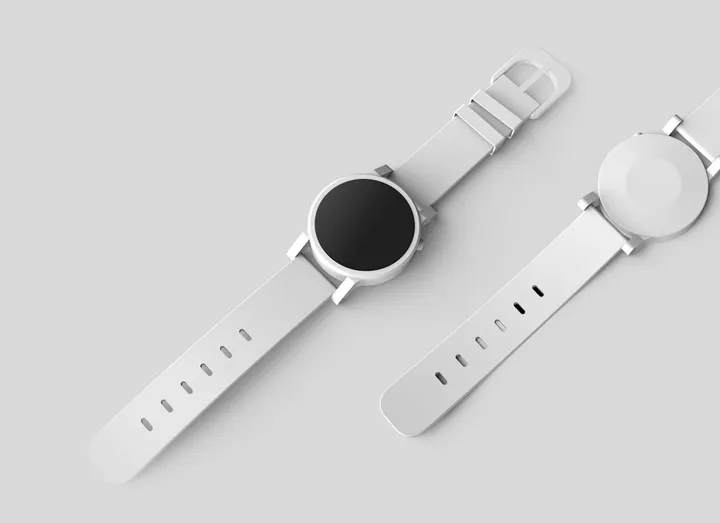
Input photo
Which photo works best?
Use a sharp, evenly lit photo of one product with the whole product in frame. Avoid dark, low-contrast shots: the set is black, and a dark photo can blend into it. Leave people out of the photo: the video models reject photos of real people.
How do I use the Black Friday Video Template?
- 1
Open the template
Click “Use this template”. The image-to-video page opens with the Black Friday prompt, Veo 3.1, the length and the aspect ratio already set.
- 2
Upload your product photo
Add one clear photo of the product you're putting on sale. The video starts from this photo, so the product's shape, colors and packaging come from it.
- 3
Match your brand colors (optional)
Replace “red and gold” in the prompt with your brand colors, or swap the black pedestal for another surface. Keep the sentence that tells the model to keep your product unchanged.
- 4
Generate, then add your offer
Generate the clip and check the product. Download the MP4 and add your discount code, price and sale dates in your editor: the template keeps text out of the video.
How can I make it my own?
- Selling a dark product? Add “a bright rim light outlines the product” to the prompt so it doesn't disappear into the black set.
- Want more motion? Change the push-in to a slow quarter orbit. It works best for products that look the same from every side, like bottles and jars; for a box with a front label, keep the push-in, because the model has to guess the sides it can't see.
- Ask for “the product in the lower half of the frame” to leave clear space at the top for the price and code you add later.
- Keep the confetti light (“a few pieces of confetti”) if it covers too much of a small product.
What prompt does this template use?
This is the prompt filled into the generator. Edit it freely before you generate.
The product from the photo stands on a glossy black pedestal in a dark studio. Dramatic spotlights sweep slowly across it from both sides, red and gold light streaks glide through the dark background, and a burst of red and gold confetti falls around the pedestal. The camera starts low and makes one slow push-in toward the product. Keep the product's shape, colors and label exactly as in the photo. High-contrast premium lighting with deep blacks and glossy reflections. Do not add any text, logos or people.
Frequently asked questions
How much does a Black Friday video cost on Kensa?
One clip with this template costs 13 credits, about $0.69 at the price of the cheapest credit pack. New accounts created with Google sign-in get free credits to try it first.
Can I add my discount code or sale price to the video?
Not reliably during generation. Video models often misspell or warp text, so the prompt tells the model not to add any. Generate the clean clip, then put your code, price or sale headline on top in your video editor or in the text tool of the app you post to.
Will the product look exactly like my photo?
The clip starts from your photo, so the shape and colors usually stay close. Fine print can blur once the lights and camera move, and confetti can briefly cover part of the product. Check the result before you post it and regenerate if the label matters.
Can I reuse the same clip for Cyber Monday?
Yes. The template puts no date or sale name in the video, so one clip works for the whole sale weekend. To give Cyber Monday its own look, change “red and gold” in the prompt to “blue and silver” and generate again.
Can I run this clip as a paid Black Friday ad?
Commercial use depends on your plan. The pricing page lists which plans and packs include a commercial license.