Product Video Template
The Product Video Template turns one product photo into a widescreen, 8-second studio clip: your product turns slowly on a turntable against a seamless backdrop, with soft light and gentle reflections, while the camera holds still. You upload the photo, and the product's shape and colors come from it. It runs on Veo 3.1 in 16:9 with sound and costs 13 credits (about $0.69). Use it on product pages, Amazon and Shopify listings, your website and YouTube; switch to 9:16 for Reels or TikTok.
Updated 2026-10-29 · Kensa team
Example made with this template
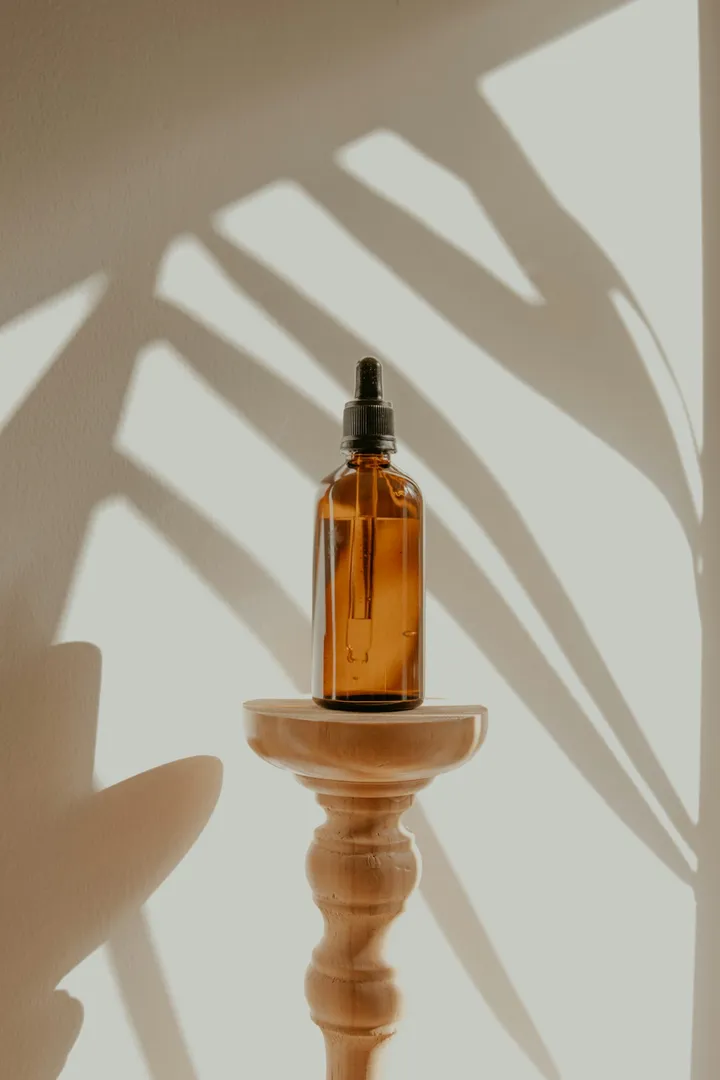
Input photo
Which photo works best?
Use a sharp, evenly lit photo of one product on a plain background, with the whole product in frame and some space around it. A slight three-quarter angle shows the model more of the product's sides. Keep hands and people out of the shot: the video models reject photos of real people.
How do I use the Product Video Template?
- 1
Open the template
Click “Use this template”. The image-to-video page opens with the turntable prompt, the model, the length and the widescreen 16:9 aspect ratio already set.
- 2
Upload your product photo
Add one photo of the product on its own. The first frame comes from this photo, so it decides the product's shape, colors and label.
- 3
Name the product in the prompt
Optionally add a short line after the first sentence, such as “It is a matte black ceramic coffee grinder.” Naming the product and its material helps the model draw the sides your photo doesn't show.
- 4
Generate, check and download
Generate the clip and watch the whole turn to make sure the product looks the same from every side, then download the MP4 for your listing or ad.
How can I make it my own?
- Match the backdrop to your store: replace “seamless white studio” with warm beige, pale gray or the soft color your product photos already use.
- Keep “gentle reflections” for glass, metal and glossy packaging; for matte products, write “soft shadows” instead so the floor doesn't look wet.
- If the back of your product looks very different from the front, change “slowly rotating” to “turning a quarter turn” so the model has less to invent.
- Make one clip per color or variant, each from its own photo, so every listing shows the version the buyer picks.
What prompt does this template use?
This is the prompt filled into the generator. Edit it freely before you generate.
The product from the photo stands on a slowly rotating turntable in a clean, seamless white studio. A soft key light and a gentle rim light trace its edges, with gentle reflections on the glossy floor beneath it. The camera holds perfectly still while the turntable turns, so the product shows its sides one after another. Keep the product's shape, colors and label exactly as in the photo. Premium catalog look, crisp focus. Do not add any text or logos. No people.
Frequently asked questions
What format is the product video?
An MP4 file in widescreen 16:9, 8 seconds long, with sound made by the model. For Reels, TikTok or Shorts, switch the aspect ratio to 9:16 on the generator before you generate.
Will the back of my product look right if I only have a front photo?
Not always. The video starts from one photo, so the model has to guess the sides and back it can't see. Simple shapes like bottles, jars and boxes usually come out right; a product with buttons, ports or a different label on the back may not. Use a three-quarter photo, describe the back in the prompt, or shorten the turn.
Can I use the video on my Amazon or Shopify product page?
You can download the MP4 and upload it anywhere your store or marketplace accepts product videos; check that platform's video rules first. Selling with it is commercial use, which depends on your plan: the pricing page lists which plans and packs include a commercial license.
Why is the video widescreen?
16:9 is the usual shape for video players on product pages and marketplace listings, and it also fits website banners and YouTube without black bars. For Reels or TikTok, switch to 9:16 before you generate, or use the TikTok Product Video Template for a vertical hook.
Related templates
- TikTok Product Video TemplateA fast whip-pan onto your product on a bright gradient, in vertical 9:16.
- Unboxing Video TemplateYour closed box opens on its own as soft light spills out, in vertical 9:16.
- Christmas Product Video TemplateYour product on a snowy table under fairy lights, in vertical 9:16.