Cake Reveal Video Template
The Cake Reveal Video Template recreates the “is it cake?” trend from one photo: your object sits on a cutting board, a knife slices straight down through it with no hand in frame, and the two halves open to show soft sponge layers and frosting inside. Upload a clear photo of one everyday object, such as a handbag, a candle or a book. It runs on Veo 3.1 in vertical 9:16 with sound and costs 13 credits (about $0.69). Post it on TikTok, Reels or Shorts.
Updated 2026-10-29 · Kensa team
Example made with this template
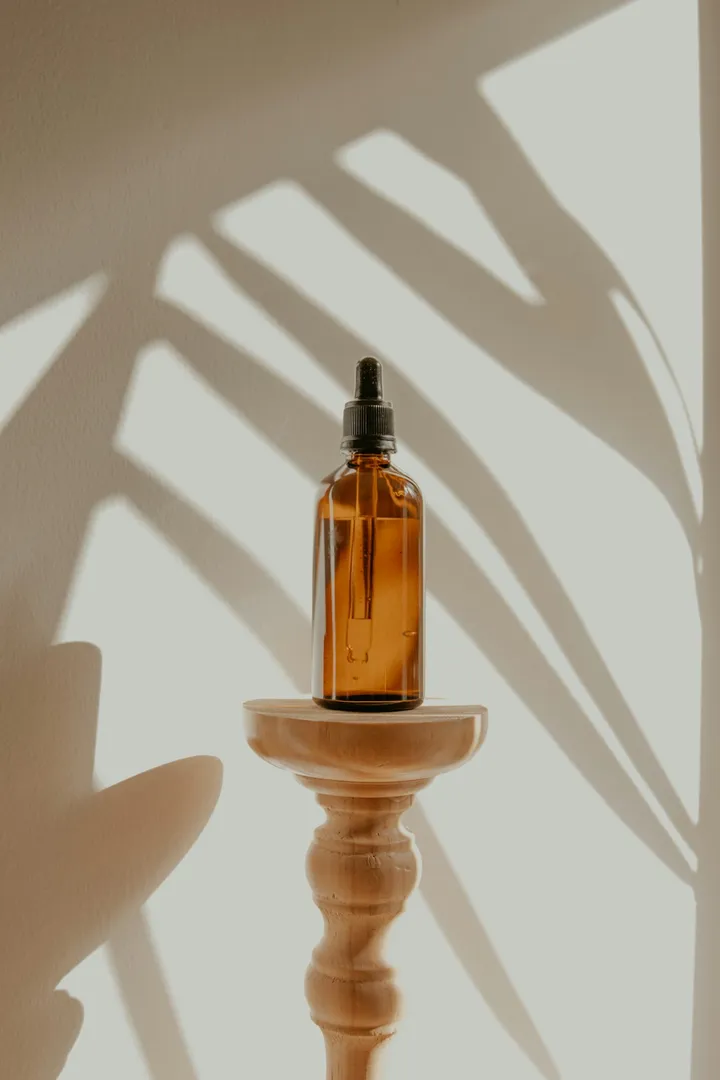
Input photo
Which photo works best?
Use a sharp photo of one object on a table or counter, shot from the front at roughly table height, with the whole object in frame. Solid objects with a simple shape are the most convincing as cake. Keep people and hands out of the photo: the video models reject photos of real people.
How do I use the Cake Reveal Video Template?
- 1
Open the template
Click “Use this template”. The image-to-video page opens with the cake reveal prompt, Veo 3.1, the length and the vertical aspect ratio already set.
- 2
Upload your photo
Add one clear photo of the object you want to “reveal”. The first frame comes from this photo, so it looks like the real thing until the knife goes in.
- 3
Choose the flavor (optional)
Change “soft sponge layers with smooth cream frosting” to “dark chocolate sponge with ganache” or “red velvet with cream cheese frosting”. Keep the sentence about the shape, colors and label so the object looks right before the cut.
- 4
Generate, check the cut and download
Generate the clip and check that the knife moves on its own and the cut is clean. Then download the MP4 and post it.
How can I make it my own?
- The first second, with the object looking real, is what makes the reveal land, so don't trim it away.
- Match the cake to the object: a brown leather bag works as chocolate sponge, a white sneaker as vanilla. Say so in the prompt.
- If the cut feels too quick, add “a slow-motion close-up as the halves separate”.
- Add a “real or cake?” caption in the app you post to. The template keeps text out of the video.
What prompt does this template use?
This is the prompt filled into the generator. Edit it freely before you generate.
The object from the photo sits on a wooden cutting board, its shape, colors and label recognisable exactly as in the photo at the start. A long cake knife, moving on its own with no hand in frame, lowers from above and slices cleanly straight down through the middle of the object. The two halves part slightly to reveal that it is actually a realistic cake: soft sponge layers with smooth cream frosting between them, inside a thin outer shell that matches the object's colors. Close-up, steady camera, bright kitchen lighting. Photorealistic. Do not add any text or logos. No people.
Frequently asked questions
Will a hand show up holding the knife?
It shouldn't. The prompt has the knife move on its own with no hand in frame and no people. Video models sometimes add a hand anyway; if one appears, regenerate. Each try costs 13 credits.
Does the inside always look like real cake?
Usually it reads as sponge and frosting, but the model invents the inside, so the layers, colors and how neat the cut looks vary between clips. Sometimes the object starts to look like cake before the knife touches it, which spoils the surprise; regenerate if that happens.
Should I say the video is AI-generated?
We recommend it. The clip is made to look real, and several short-video apps ask creators to label realistic AI-generated content, so turn on the app's AI label when you post. It's also fairer to viewers playing along with “is it cake?”.
Can a bakery use this to advertise its cakes?
Commercial use depends on your plan; the pricing page lists which plans and packs include a commercial license. Keep in mind that the cake in the clip is generated, not your real product, so don't present it as footage of a cake you sell.
Related templates
- Melting Video TemplateYour object softens, drips and melts into a glossy puddle, in vertical 9:16.
- Squish Video TemplateA clear plate squashes your object like a stress ball, then it bounces back, in vertical 9:16.
- Product Video TemplateYour product turning on a studio turntable, in widescreen 16:9 for listings.