Squish Video Template
The Squish Video Template gives one photo the AI squish effect: a clear press plate lowers from the top of the frame and presses your object flat like a soft stress ball, then lifts away as the object springs back with a wobble. Upload a sharp photo of one object on a table, such as a cushion, a soda can or a jar. It runs on Veo 3.1 in vertical 9:16 with sound and costs 13 credits (about $0.69). Made for TikTok, Reels and Shorts.
Updated 2026-10-29 · Kensa team
Example made with this template
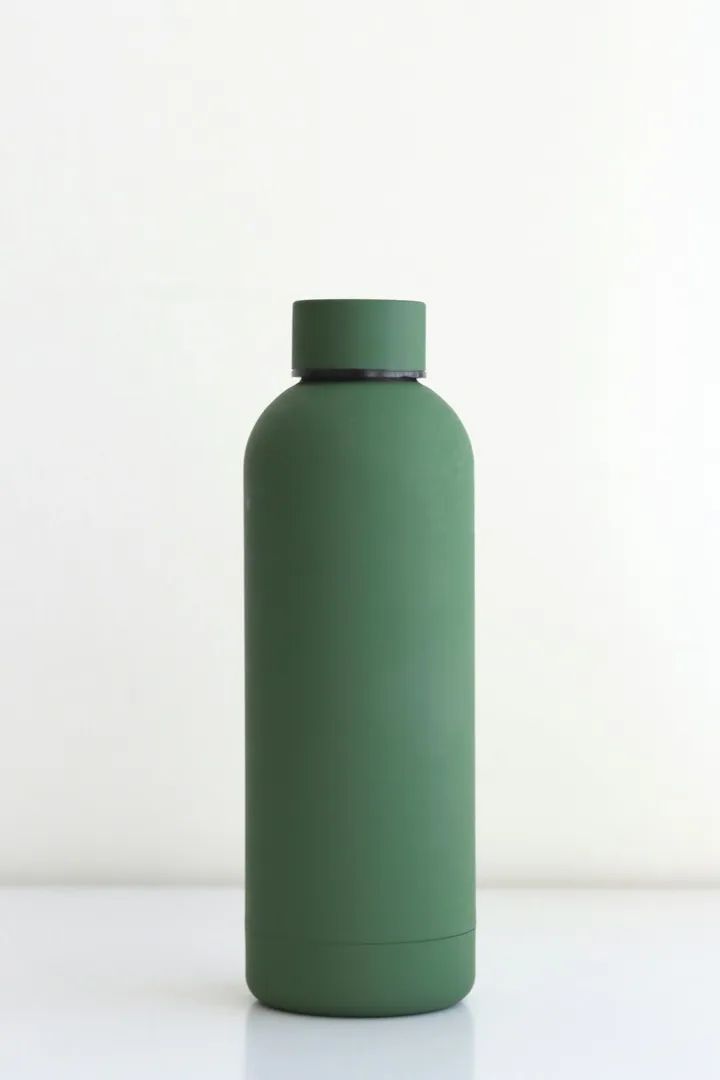
Input photo
Which photo works best?
Use a sharp photo of one object on a table, shot from the side or at a slight angle so its height is visible, with some empty space above it for the press plate to come down. The squash reads best when the object has some height to lose. Keep hands and people out of the photo: the video models reject photos of real people.
How do I use the Squish Video Template?
- 1
Open the template
Click “Use this template”. The image-to-video page opens with the squish prompt, Veo 3.1, the length and the vertical aspect ratio already set.
- 2
Upload your photo
Add one clear photo of the object. The clip starts from this photo; then the plate comes down, squashes the object and lifts away.
- 3
Tune the squish (optional)
Make it softer or firmer by changing “soft, squishy stress ball” to “a jelly”, “a marshmallow” or “a rubber toy”. Keep the sentence “No hands appear; the clear plate is the only thing that touches it”: it makes a hand less likely, though it doesn't rule one out.
- 4
Generate and watch it through
Generate the clip and watch the whole thing: check the top edge for a hand or fingertips on the press, and check that the object is back in its starting shape at the end, which makes the clip loop more smoothly. Then download the MP4 and post it.
How can I make it my own?
- Squish it twice: change “holds flat for a moment, then the plate lifts away” to “the plate presses down twice, then lifts away”. Two squishes fit in 8 seconds; more tends to get messy.
- A hard object (a glass bottle, a laptop) bending like rubber is half the fun, but the model may crease or crack it instead of squashing it smoothly. If that happens, add “it bends like soft rubber, with no cracks”.
- If fingertips only flash at the top edge, a slight crop or zoom in your editor can hide them, which costs less than regenerating.
- Add “with a soft squelching sound” to the prompt if you want the audio to match. Veo 3.1 generates sound with every clip, but what it picks varies.
What prompt does this template use?
This is the prompt filled into the generator. Edit it freely before you generate.
The object from the photo sits on a clean tabletop, its shape, colors and label recognisable exactly as in the photo at the start. Then a clear acrylic press plate lowers from the top of the frame and squashes the object flat as if it were a soft, squishy stress ball: it bulges out at the sides, holds flat for a moment, then the plate lifts away and the object springs back up with a gentle wobble to its original shape. No hands appear; the clear plate is the only thing that touches it. Steady camera at table height, bright soft lighting, satisfying slow motion. Photorealistic. Do not add any text or logos. No people.
Frequently asked questions
Will a hand show up in the clip?
Possibly. Video models often add a hand for this effect, even though the prompt says no hands appear. The example on this page shows fingertips on the press handle at the top edge for about a second. If you need a clip with no hand at all, regenerate; each try costs 13 credits.
Why does a press plate do the squashing?
We first tried a prompt with nothing pressing on the object, and Veo 3.1 drew a hand squeezing it in both test takes. Giving the model a clear plate to do the pressing worked better in our tests, and because the plate is clear, you can still see the object while it's squashed.
Does the object go back to exactly how it looked?
Close, but not always exactly. Labels and printed patterns can stretch when the object bulges and come back slightly shifted or blurred, and fine text is the first thing to go. Check the final frames before you post, and regenerate if the label matters.
Can I squish something hard, like a phone or a bottle?
Yes. Seeing something hard squash like rubber is what makes the effect surprising. The model has to invent how a rigid object bends, though, so results vary more than with soft things like cushions or plush toys; expect a few tries.
Related templates
- Melting Video TemplateYour object softens, drips and melts into a glossy puddle, in vertical 9:16.
- Inflate Video TemplateYour object puffs up like a balloon and floats off the table, in vertical 9:16.
- Cake Reveal Video TemplateA knife slices your object in half and it turns out to be cake, in vertical 9:16.