Melting Video Template
The Melting Video Template applies the AI melting effect to one photo: the object you upload starts out exactly as it is, then slowly softens like warm wax or chocolate, drips down its sides and spreads into a glossy puddle while the camera holds still. Upload a clear photo of a single object, such as a mug, a perfume bottle or a sneaker. It runs on Veo 3.1 in vertical 9:16 with sound and costs 13 credits (about $0.69). Post it on TikTok, Reels or Shorts.
Updated 2026-10-29 · Kensa team
Example made with this template
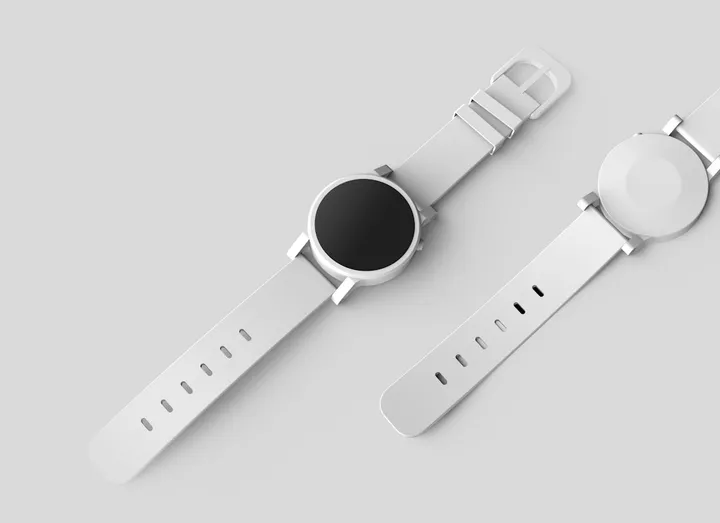
Input photo
Which photo works best?
Use a sharp photo of one object standing upright on a plain surface, with the whole object and a little of the table around it in frame. Upright objects melt more convincingly than flat ones lying down. Leave people and hands out of the photo: the video models reject photos of real people.
How do I use the Melting Video Template?
- 1
Open the template
Click “Use this template”. The image-to-video page opens with the melting prompt, Veo 3.1, the length and the vertical aspect ratio already set.
- 2
Upload your photo
Add one clear photo of the object you want to melt. The first frame comes from this photo, so the object looks like itself before it starts to soften.
- 3
Choose how it melts (optional)
Change “warm wax or chocolate” in the prompt to another material, such as “ice cream” or “honey”, or change the surface it melts onto. Keep the sentence about the shape, colors and label so the start still matches your photo.
- 4
Generate and check the timing
Generate the clip and check that the object is recognisable before it melts. Download the MP4 and post it, or trim the start in your editor so the melt begins sooner.
How can I make it my own?
- Say what the object is made of and what color it is (“a white ceramic mug”, “a red sneaker”) so the melted material keeps the right color and sheen.
- The melt is slow on purpose. If you want the object to end as a flat puddle within the clip, replace “slowly softens” with “quickly softens” in the prompt.
- Shoot the photo on a surface that contrasts with the object: a white mug melting onto a white table leaves a puddle you can barely see.
- For a summer-heat look, add “a warm sunbeam falls on it” to the prompt.
What prompt does this template use?
This is the prompt filled into the generator. Edit it freely before you generate.
The object from the photo stands on a smooth tabletop, its shape, colors and label recognisable exactly as in the photo at the start. Then it slowly softens and melts like warm wax or chocolate: the top sags first, thick glossy drips run down its sides, and it sinks lower and lower as the melted material spreads into a shiny puddle on the surface, keeping the object's original colors. Steady, locked-off camera at table height, soft studio lighting, smooth slow motion. Photorealistic. Do not add any text or logos. No people.
Frequently asked questions
What happens to my logo or label when it melts?
It melts with everything else. The prompt keeps the label recognisable at the start, but once the object softens, letters stretch, run and disappear into the puddle. That's part of the effect; if the brand needs to stay readable, show it in the first second or add it in your editor afterwards.
Does it work with glass or see-through objects?
Less reliably. Clear glass, ice and transparent plastic often come out looking like water rather than thick wax, and the model can lose the object's outline early. Opaque objects in solid colors give the cleanest drips. Results vary from clip to clip, so expect to regenerate a transparent object once or twice.
Why does my object turn into a blob straight away?
Sometimes the model starts melting too early and skips the moment where you can tell what the object is. Regenerating usually helps, and you can add “it stays solid for the first second” to the prompt. Each try costs 13 credits.
Can I use a melting clip in an ad for my product?
Commercial use depends on your plan. The pricing page lists which plans and packs include a commercial license.
Related templates
- Squish Video TemplateA clear plate squashes your object like a stress ball, then it bounces back, in vertical 9:16.
- Inflate Video TemplateYour object puffs up like a balloon and floats off the table, in vertical 9:16.
- Cake Reveal Video TemplateA knife slices your object in half and it turns out to be cake, in vertical 9:16.