AI Pet Video Prompts With Real Results

Every prompt on this page was run on Kensa and is shown with the clip it produced: a golden retriever puppy chasing soap bubbles, sent unchanged to 6 of Kensa's models, plus image-to-video prompts that make the pet in your own photo dance, ride a skateboard or sit by a Christmas tree. Each card lists the model, settings, credits (5 to 83 per clip), render time and what went wrong, including the puppy whose head merged into a bubble.

By Alex Xu, founder of Kensa · Updated November 4, 2026

How we tested

  • Every clip is a real Kensa output from the exact prompt shown, compressed for the web and not edited.
  • Render time runs from submission to the finished file at the model provider; queueing on Kensa is not included.
  • Credits are today's Kensa prices for the settings shown; ≈ USD uses the Starter Pack ($14.90 for 280 credits).
  • AI video changes from run to run. Treat each clip as an example of what the prompt can do, not a guarantee.

One animal prompt, compared across models

The same text prompt went, unchanged, to six of Kensa's models on October 31, 2026, one run each. It tests animal motion and whether a model can keep track of small things like bubbles.

Puppy chasing bubbles

Text to video

A playful animal clip with fast motion, a low tracking camera and a sound cue.

Prompt

A golden retriever puppy chases soap bubbles across a sunlit backyard lawn, paws kicking up blades of grass, bubbles popping with soft sounds, low tracking camera alongside the puppy, warm afternoon light, cinematic.

Result: Grok Image Video and Seedance 1.5 Pro followed the whole prompt. MiniMax H3 ran the most naturally but mostly dropped the bubbles, and Veo 3.1 had the best light but merged the puppy's head into one.

  • Veo 3.1

    8s · 16:9 · 13 credits (≈ $0.69) · 90 s render · 1280×720

    Richest light and the most bubbles, but mid-clip the puppy's head merges into a bubble — a visible artifact.

  • Seedance 2.0

    8s · 480P · 16:9 · 62 credits (≈ $3.30) · 190 s render · 864×496

    Clean and consistent: the puppy keeps its shape, bubbles drift past, the camera pushes in. Softer at 480P.

  • Seedance 2.5

    8s · 480P · 16:9 · 83 credits (≈ $4.42) · 157 s render · 854×480

    The puppy runs toward the camera; bubbles are faint. At 480P it is the softest image here — 2.5 is better judged at 720P/1080P.

  • MiniMax H3

    8s · 768P · 16:9 · 20 credits (≈ $1.06) · 47 s render · 1344×768

    Fastest and highest resolution; the most natural running motion, but it mostly ignores the bubbles.

  • Seedance 1.5 Pro

    8s · 720P · 16:9 · 32 credits (≈ $1.70) · 121 s render · 1280×720

    Follows the prompt closely — puppy, bubbles, fence and grass all there — with steady motion.

  • Grok Image Video

    6s · 480P · 16:9 · 5 credits (≈ $0.27) · 57 s render · 752×416

    Playful and on-prompt — the puppy really chases the bubbles — at the lowest resolution and price.
Source: October 2026 AI video model benchmark

Prompts for a photo of your own pet

These are image-to-video prompts: you upload a photo of your cat or dog on its own, and the prompt says what it does next. Each was run once on Veo 3.1 with an Unsplash photo that shows only the dog.

Pet dancing on its hind legs

Image to video: start from your photo

A short, bouncy dance clip for TikTok and Reels from one pet photo.

Prompt

The cat or dog from the photo stands up on its hind legs and dances happily to an upbeat rhythm in a cozy living room, bouncing on the spot, swaying side to side and waving its front paws in a playful, joyful way. Keep the pet's fur color, markings and face exactly as in the photo, and keep its body natural, with four legs and one tail. Bright, warm home lighting, steady camera at the pet's eye level. No text or logos. No people.

Starting frame for Pet dancing on its hind legs (Unsplash)
Input photo (Unsplash)
Model
Veo 3.1
Settings
8s · 9:16
Cost
13 credits (≈ $0.69)
Render time
99 s
Output
720×1280
Generated
October 28, 2026

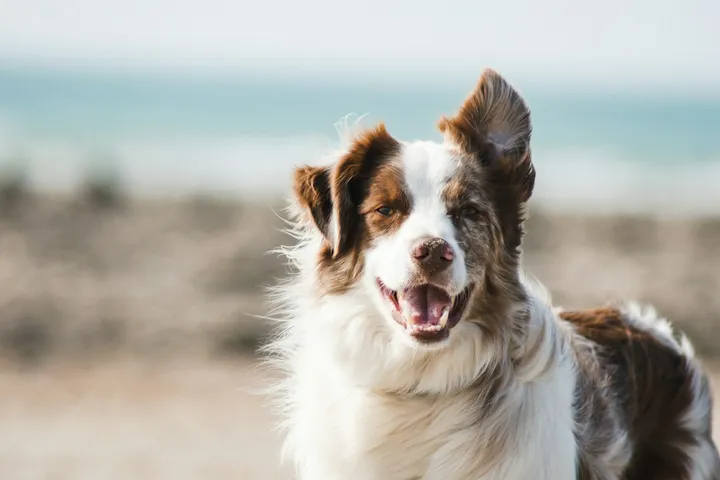
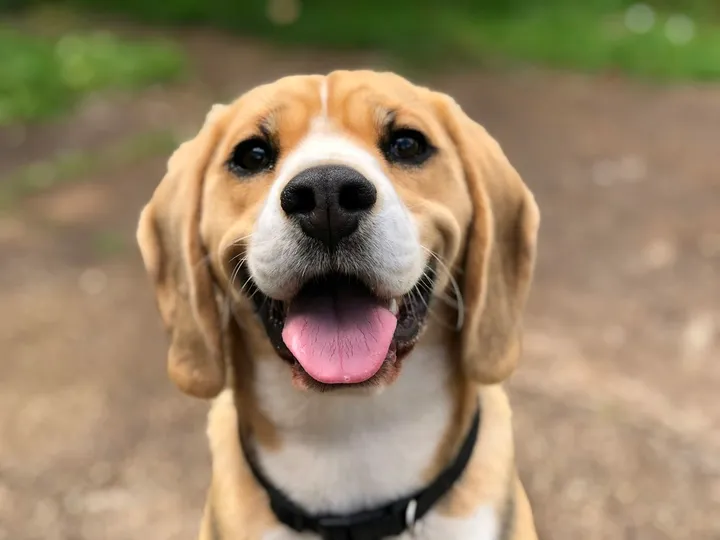
What we saw: The beagle stands and waves its paws for the whole clip and keeps its markings and black collar. The photo showed only its face, so the body and the living room are generated.

Try this prompt

Opens Image to Video with these settings filled in. Upload your own photo there.

Source: Pet Dancing Video Template

Dog skateboarding on a boardwalk

Image to video: start from your photo

A sunny action clip with the camera moving alongside your dog.

Prompt

The dog from the photo rides a skateboard down a quiet, empty seaside boardwalk on a sunny day, standing steadily on the board with all four paws as it rolls forward. Its ears flap in the breeze, the sea sparkles beside the boardwalk and palm trees slide past in the background. Smooth tracking shot that moves alongside the dog at its eye level. Keep the dog's fur color, markings and face exactly as in the photo, and keep its body natural, with four legs and one tail. Bright, warm afternoon sunlight. Do not add any text or logos. No people.

Starting frame for Dog skateboarding on a boardwalk (Unsplash)
Input photo (Unsplash)
Model
Veo 3.1
Settings
8s · 9:16
Cost
13 credits (≈ $0.69)
Render time
87 s
Output
720×1280
Generated
October 29, 2026

What we saw: Rides steadily with all four paws on the board and keeps the fur pattern from the photo; the camera leads from in front of the dog instead of tracking alongside as the prompt asks.

Try this prompt

Opens Image to Video with these settings filled in. Upload your own photo there.

Source: Skateboarding Dog Video Template

Christmas pet portrait

Image to video: start from your photo

A cozy holiday card: your pet by a glowing tree in a red knit scarf, snow outside.

Prompt

The pet from the photo sits beside a glowing Christmas tree in a cozy living room, wearing a red knit scarf. Snow falls softly outside the window behind it, warm fairy lights twinkle in soft bokeh, and the pet tilts its head, blinks slowly and gently moves its tail while the camera makes one slow push-in. Keep the pet's fur, markings and face exactly as in the photo. Warm, festive, cinematic lighting. No other animals or characters. No text or logos. No people.

Starting frame for Christmas pet portrait (Unsplash)
Input photo (Unsplash)
Model
Veo 3.1
Settings
8s · 9:16
Cost
13 credits (≈ $0.69)
Render time
87 s
Output
720×1280
Generated
October 28, 2026

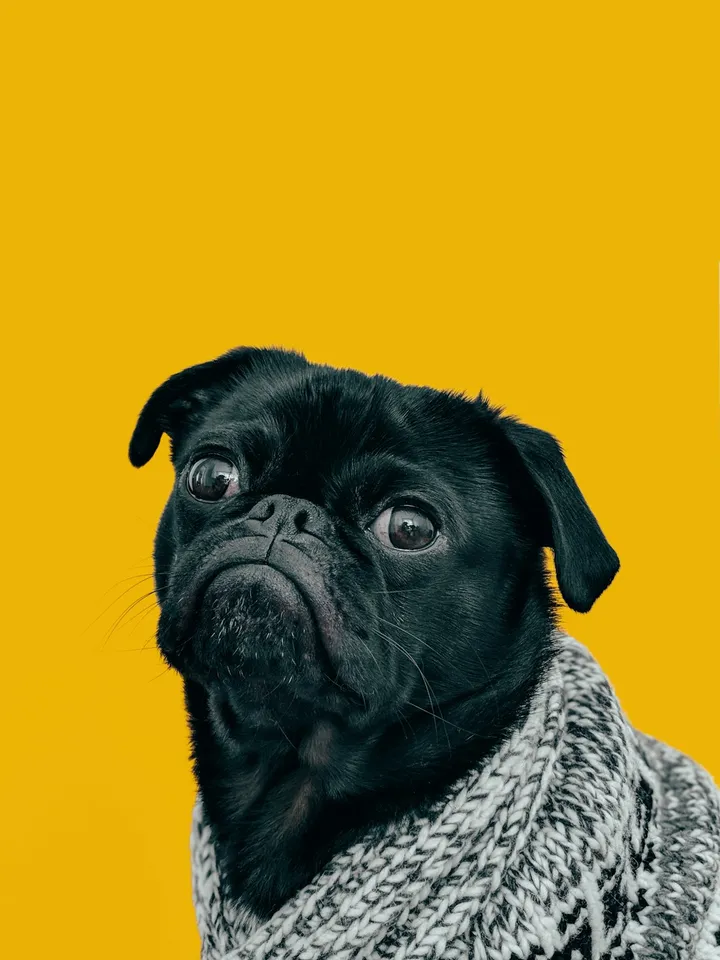
What we saw: The first second wipes away the photo's yellow backdrop with a brief doubled pug; after that, the tree, the snowy window and the red scarf match the prompt. The scarf replaces the grey sweater the pug wore in the photo.

Try this prompt

Opens Image to Video with these settings filled in. Upload your own photo there.

Source: Christmas Pet Video Template

How to write prompts like these

The prompts above follow the same five parts. Write one shot, in plain sentences, in this order:

  1. 1

    Subject

    Breed and age are enough: “a golden retriever puppy”. With a photo, write “the cat or dog from the photo” and add “Keep the pet's fur color, markings and face exactly as in the photo, and keep its body natural, with four legs and one tail.”

  2. 2

    Action

    One thing the animal does: chases bubbles, dances on its hind legs, rides a skateboard. Small props are the first thing models drop: two of the six puppy clips barely showed the bubbles.

  3. 3

    Camera

    Keep the camera at the animal's height: “low tracking camera alongside the puppy”, “steady camera at the pet's eye level”. Check the result: the skateboarding dog was filmed from the front even though the prompt asked for alongside.

  4. 4

    Light

    Warm light flatters fur: “warm afternoon light”, “bright, warm home lighting”, “warm fairy lights twinkle in soft bokeh”.

  5. 5

    Sound

    Name what the viewer should hear, as the puppy prompt does with “bubbles popping with soft sounds”. Every clip in that test came with sound.

Questions about these prompts

Can I use a photo of my own pet?

Yes, with the image-to-video prompts. Upload a clear photo of the pet on its own; it becomes the first frame. A face close-up works: the dancing beagle started from one, and the model generated the body and the room. Keep people out of the photo, because photos of real people are rejected.

Why do AI pets sometimes merge with objects or grow extra legs?

Fast motion around small objects is hard for video models. In our test, Veo 3.1's puppy ran into a bubble and its head merged with it. The photo prompts here spell out “four legs and one tail” to discourage extra limbs, but check every clip and regenerate if something looks wrong.

Which model is best for animal videos?

In this one-run test, Grok Image Video and Seedance 1.5 Pro followed the whole prompt, MiniMax H3 had the most natural running, and Veo 3.1 had the richest light but a visible glitch. Your results will vary between runs, so compare the clips above rather than taking one as a verdict.

More tested prompts and clips

All prompt collections →