Black Friday25% off the first year of yearly plans · ends Dec 1 (UTC)See the deal
AI Product Video Prompts With Real Results
Every prompt on this page was run on Kensa and is shown with the unedited clip it produced: one orange-soda studio shot sent unchanged to 6 of Kensa's models, plus image-to-video prompts that turn your own product photo into a turntable spin, a TikTok hook, an unboxing, a holiday ad or a melt, inflate, squish or cake effect. Each card lists the model, settings, credits (5 to 83 per clip), render time and what went wrong, so you know what to expect before you copy a prompt.
By Alex Xu, founder of Kensa · Updated November 4, 2026
How we tested
Every clip is a real Kensa output from the exact prompt shown, compressed for the web and not edited.
Render time runs from submission to the finished file at the model provider; queueing on Kensa is not included.
Credits are today's Kensa prices for the settings shown; ≈ USD uses the Starter Pack ($14.90 for 280 credits).
AI video changes from run to run. Treat each clip as an example of what the prompt can do, not a guarantee.
One product prompt, compared across models
We sent the same text prompt, unchanged, to six of Kensa's models on October 31, 2026 and ran each once. None of the six nailed it outright, which is exactly why the notes matter.
Orange soda studio shot
Text to video
A premium beverage shot with slow-motion ice and splashes, the kind of clip people make for ads.
Prompt
A glass bottle of sparkling orange soda stands on a wet black stone slab, ice cubes tumble around it in slow motion and droplets splash outward, studio lighting with a warm rim light, macro lens, premium commercial style.
Result: Three models cropped the top of the bottle, Seedance 1.5 Pro invented a brand-style label, and MiniMax H3 and Grok Image Video got the drink's color wrong. Before your next run, add “the whole bottle in frame” and “no text or logos” to the prompt.
These are image-to-video prompts: you upload one photo of your product, it becomes the first frame, and the prompt describes only what happens next. Each was run once on Veo 3.1 with an Unsplash photo that has no people or brand marks.
Studio turntable spin
Image to video: start from your photo
A catalog-style spin for product pages and listings: the camera holds still while a turntable does the moving.
Prompt
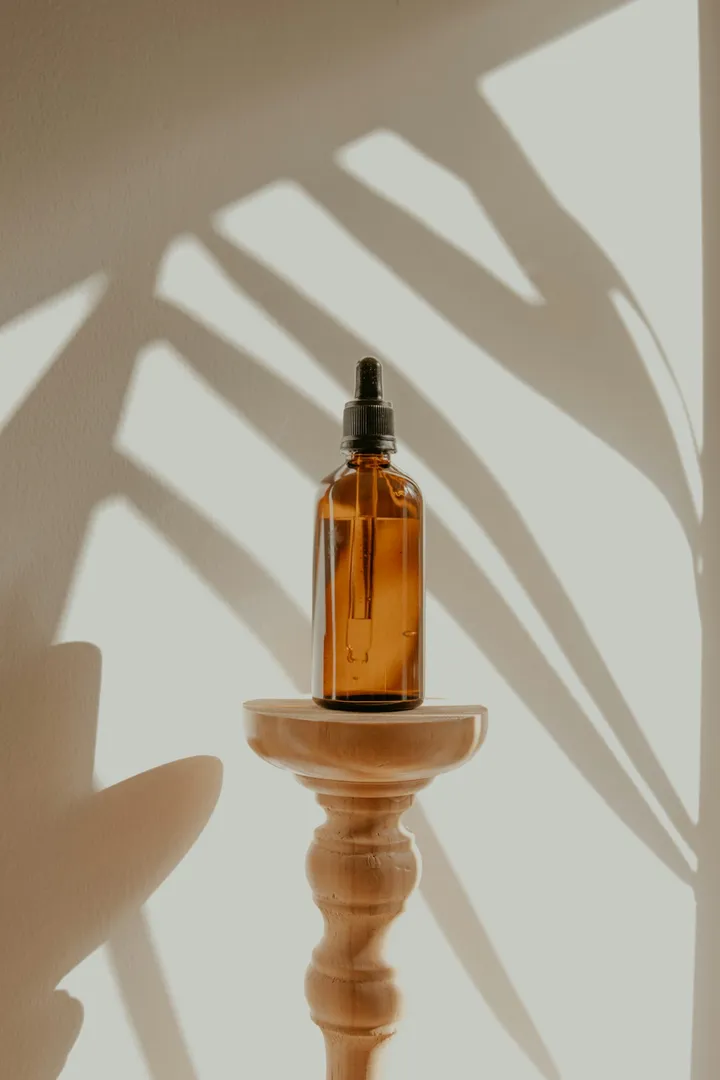
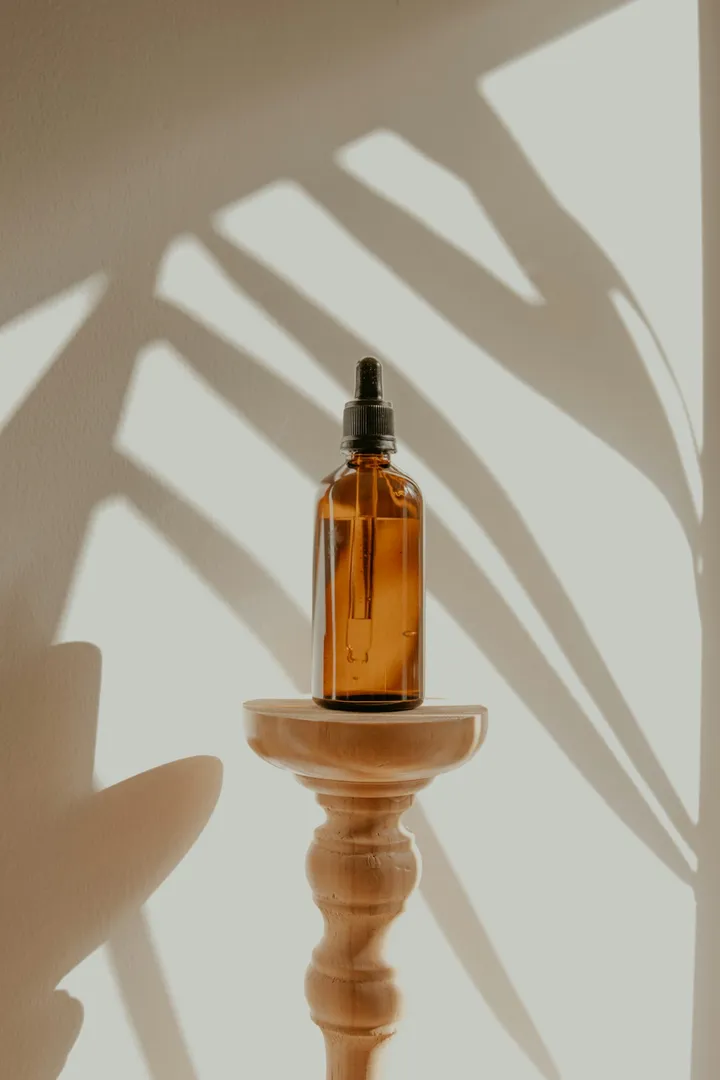
The product from the photo stands on a slowly rotating turntable in a clean, seamless white studio. A soft key light and a gentle rim light trace its edges, with gentle reflections on the glossy floor beneath it. The camera holds perfectly still while the turntable turns, so the product shows its sides one after another. Keep the product's shape, colors and label exactly as in the photo. Premium catalog look, crisp focus. Do not add any text or logos. No people.
Input photo (Unsplash)
Model
Veo 3.1
Settings
8s · 16:9
Cost
13 credits (≈ $0.69)
Render time
94 s
Output
1280×720
Generated
October 28, 2026
What we saw: The dropper bottle stays true to the photo, but the clip holds the photo's wooden stand and leaf shadows for about two seconds, then cross-fades into the white turntable studio instead of starting there.
A fast vertical opener that stops the scroll, then gives you a clean hero frame for the cover.
Prompt
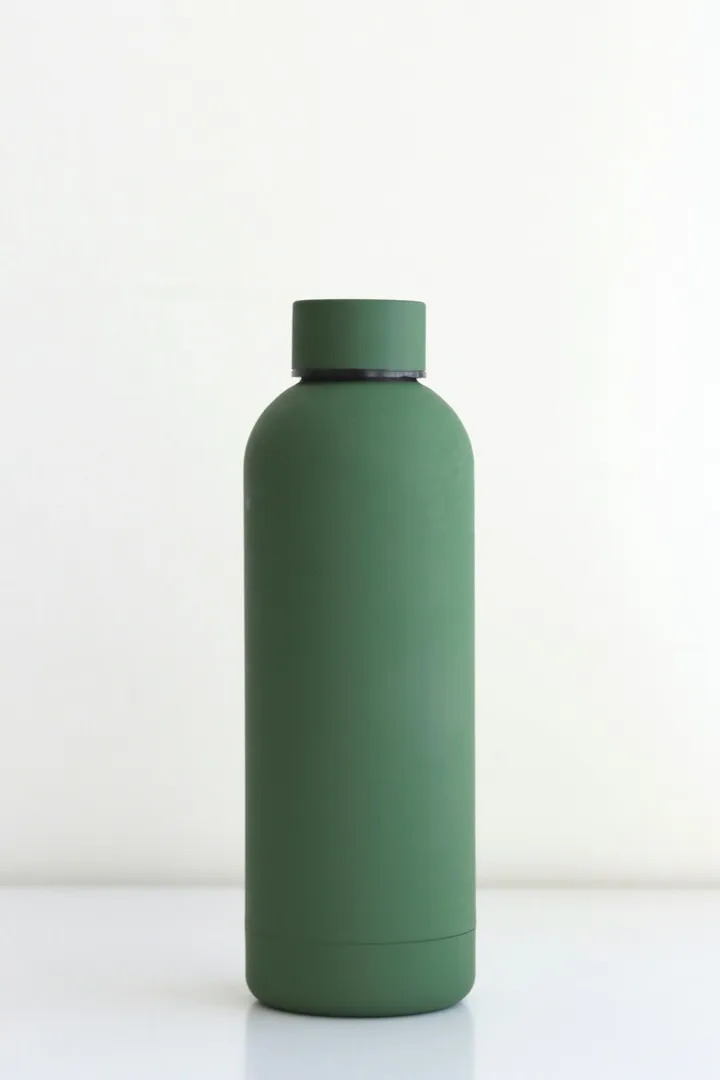
Fast whip-pan into a hero close-up of the product from the photo, set against a bold, colorful gradient backdrop. Quick flashes of light sweep across the product in the first second, then the camera slows into a smooth, gentle drift so the whole product is sharp and clearly readable in the final frames. Keep the product's shape, colors and label exactly as in the photo. Punchy, high-energy vertical ad look. Do not add any text or logos. No people.
Input photo (Unsplash)
Model
Veo 3.1
Settings
8s · 9:16
Cost
13 credits (≈ $0.69)
Render time
98 s
Output
720×1280
Generated
October 28, 2026
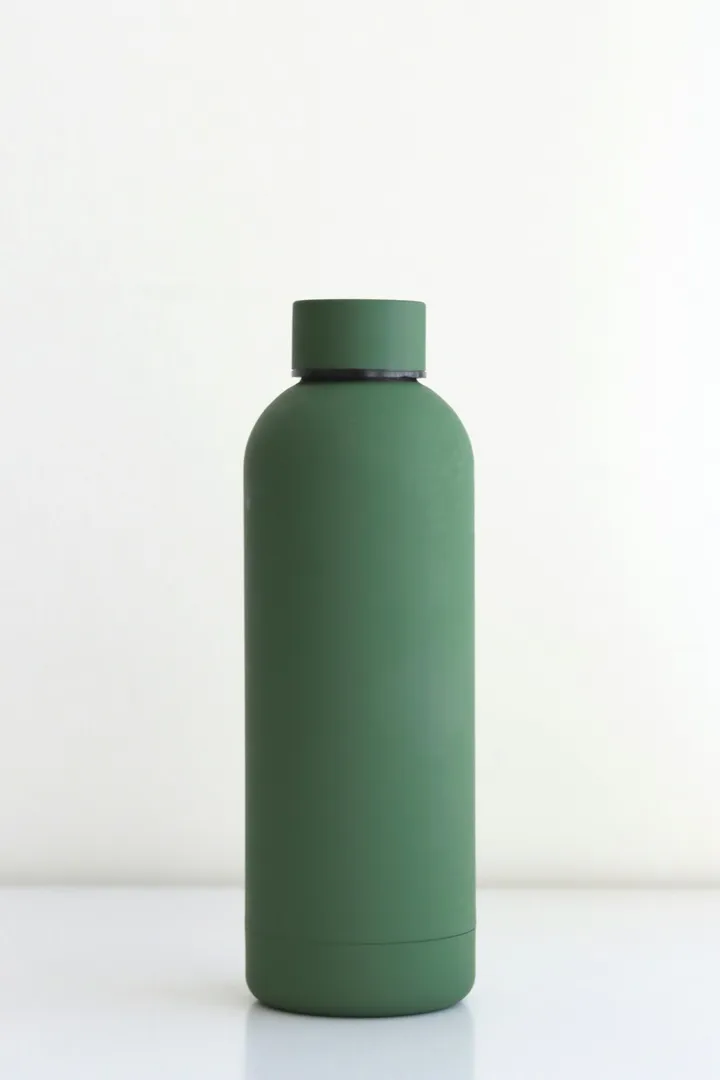
What we saw: Did what the prompt says: a blurred whip-pan with light streaks in the first second, then the bottle settles sharp against the gradient for the rest of the clip, its matte green and cap unchanged.
A launch teaser from a photo of your closed box: the lid lifts and light spills out.
Prompt
The closed box from the photo sits on a tidy, softly lit desk. Its lid slowly lifts open on its own, the tissue paper inside parts, and warm light spills out to reveal the product resting inside. The camera makes one slow push-in toward the box. Keep the product packaging's shape, colors and label exactly as in the photo. Calm, premium unboxing mood. Do not add any text or logos. No people.
Input photo (Unsplash)
Model
Veo 3.1
Settings
8s · 9:16
Cost
13 credits (≈ $0.69)
Render time
87 s
Output
720×1280
Generated
October 28, 2026
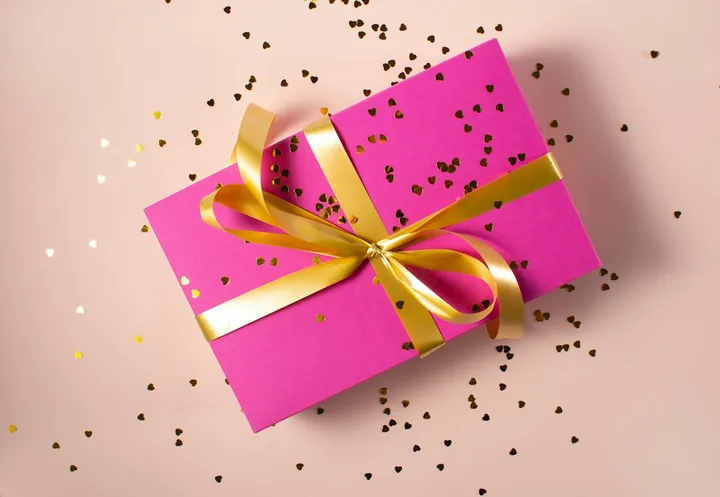
What we saw: The lid lifts, the tissue parts and light spills out as asked, but the prompt never says what is inside, so the model put a shapeless gold object in the box. Name your product in the prompt to avoid that.
A cozy holiday clip for seasonal ads: snow, fairy lights and one slow push-in.
Prompt
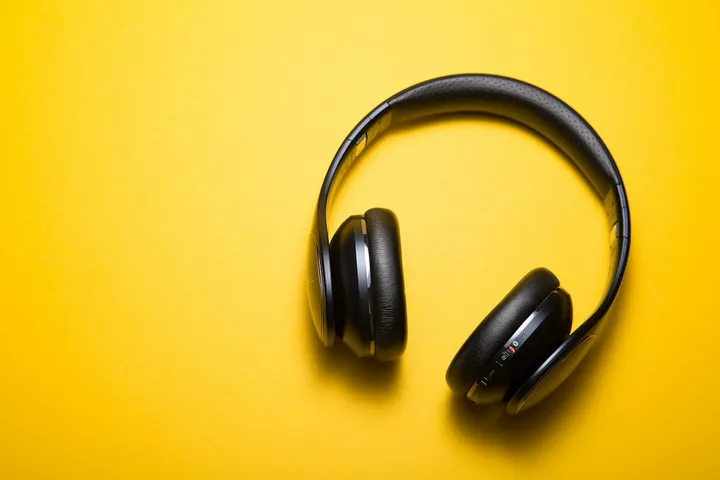
The product from the photo sits on a snow-dusted wooden table in a cozy Christmas living room. Warm fairy lights glow in soft bokeh behind it, light snowflakes drift slowly through the frame, and the camera makes one slow push-in toward the product. Keep the product's shape, colors and label exactly as in the photo. Warm, festive, cinematic lighting. No people.
Input photo (Unsplash)
Model
Veo 3.1
Settings
8s · 9:16
Cost
13 credits (≈ $0.69)
Render time
87 s
Output
720×1280
Generated
October 28, 2026
What we saw: Snow, fairy-light bokeh and the push-in all landed, but the first second burns the photo's yellow backdrop away in a transition the prompt didn't ask for, and the headphones end up standing upright instead of lying as in the photo.
A high-contrast sale clip: a black pedestal, sweeping spotlights and a confetti burst.
Prompt
The product from the photo stands on a glossy black pedestal in a dark studio. Dramatic spotlights sweep slowly across it from both sides, red and gold light streaks glide through the dark background, and a burst of red and gold confetti falls around the pedestal. The camera starts low and makes one slow push-in toward the product. Keep the product's shape, colors and label exactly as in the photo. High-contrast premium lighting with deep blacks and glossy reflections. Do not add any text, logos or people.
Input photo (Unsplash)
Model
Veo 3.1
Settings
8s · 9:16
Cost
13 credits (≈ $0.69)
Render time
87 s
Output
720×1280
Generated
October 28, 2026
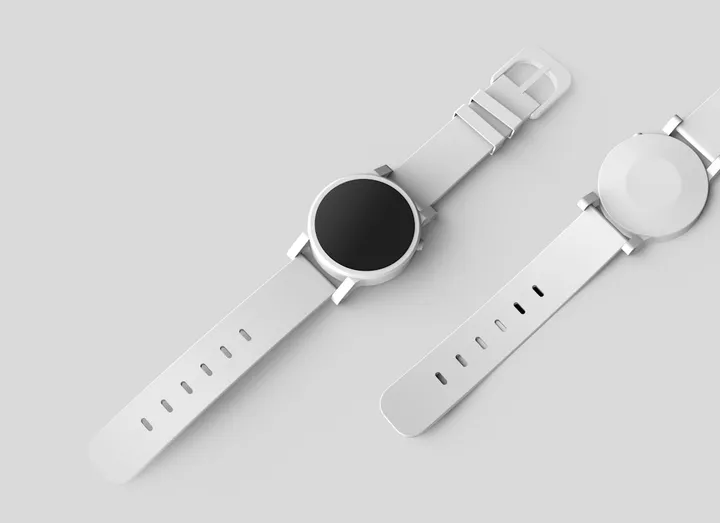
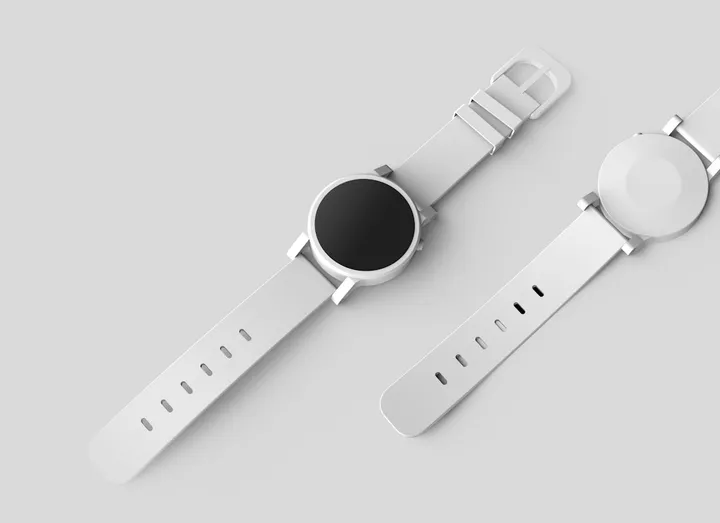
What we saw: Spotlights, red and gold light streaks and the confetti burst all appear as written; a bright flare covers the watch face for the first couple of seconds.
Effect prompts spell out the order of events: what the object looks like first, what happens to it, and how it ends. They are also image-to-video on Veo 3.1. Two of them needed more than one run, and their notes say why.
Melting effect
Image to video: start from your photo
The object softens, drips and spreads into a glossy puddle in its own colors.
Prompt
The object from the photo stands on a smooth tabletop, its shape, colors and label recognisable exactly as in the photo at the start. Then it slowly softens and melts like warm wax or chocolate: the top sags first, thick glossy drips run down its sides, and it sinks lower and lower as the melted material spreads into a shiny puddle on the surface, keeping the object's original colors. Steady, locked-off camera at table height, soft studio lighting, smooth slow motion. Photorealistic. Do not add any text or logos. No people.
Input photo (Unsplash)
Model
Veo 3.1
Settings
8s · 9:16
Cost
13 credits (≈ $0.69)
Render time
288 s
Output
720×1280
Generated
October 29, 2026
What we saw: The watch starts melting within the first second and throws off splashes, more like milk than slow wax, before ending as a glossy white puddle.
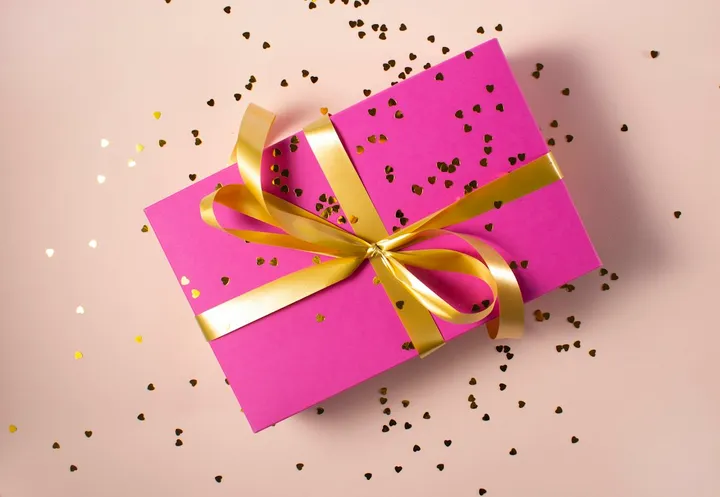
The object puffs up like a balloon, turns round and shiny, and floats off the table.
Prompt
The object from the photo rests on a table against a plain background, its shape, colors and label recognisable exactly as in the photo at the start. Then it slowly inflates like a balloon: its sides puff out, its corners round off and its surface stretches smooth and glossy while keeping its original colors. Once it is fully round and shiny, it lifts gently off the table and floats upward, bobbing slightly in mid-air as the camera tilts up a little to follow it. Bright, soft lighting. Photorealistic. Do not add any text or logos. No people.
Input photo (Unsplash)
Model
Veo 3.1
Settings
8s · 9:16
Cost
13 credits (≈ $0.69)
Render time
78 s
Output
720×1280
Generated
October 29, 2026
What we saw: The gift box becomes a glossy pink ball with its gold ribbon still wrapped around it and floats up as the camera tilts, but the change happens in about a second rather than as a slow inflate.
A clear press plate squashes the object like a stress ball, then it springs back.
Prompt
The object from the photo sits on a clean tabletop, its shape, colors and label recognisable exactly as in the photo at the start. Then a clear acrylic press plate lowers from the top of the frame and squashes the object flat as if it were a soft, squishy stress ball: it bulges out at the sides, holds flat for a moment, then the plate lifts away and the object springs back up with a gentle wobble to its original shape. No hands appear; the clear plate is the only thing that touches it. Steady camera at table height, bright soft lighting, satisfying slow motion. Photorealistic. Do not add any text or logos. No people.
Input photo (Unsplash)
Model
Veo 3.1
Settings
8s · 9:16
Cost
13 credits (≈ $0.69)
Render time
87 s
Output
720×1280
Generated
October 29, 2026
What we saw: Our third run: in the first two, an earlier “invisible force” prompt brought in hands squeezing the bottle, so we switched to a press plate. Even here a hand grips the press at the top of the frame around the 3 to 4 second mark, and the bottle springs back, then slumps flat again in the last half-second.
A knife slices through the object to show sponge and frosting inside.
Prompt
The object from the photo sits on a wooden cutting board, its shape, colors and label recognisable exactly as in the photo at the start. A long cake knife, moving on its own with no hand in frame, lowers from above and slices cleanly straight down through the middle of the object. The two halves part slightly to reveal that it is actually a realistic cake: soft sponge layers with smooth cream frosting between them, inside a thin outer shell that matches the object's colors. Close-up, steady camera, bright kitchen lighting. Photorealistic. Do not add any text or logos. No people.
Input photo (Unsplash)
Model
Veo 3.1
Settings
8s · 9:16
Cost
13 credits (≈ $0.69)
Render time
109 s
Output
720×1280
Generated
October 29, 2026
What we saw: Our second run (the first showed a hand holding the knife). No hand appears here and the cut shows real-looking sponge and cream, but after a second on the photo the glass bottle cross-fades into an opaque brown block, so it never looks like glass before the knife.
The prompts above follow the same five parts. Write one shot, in plain sentences, in this order:
1
Subject
Name the product and its material: “a glass bottle of sparkling orange soda”. With a photo, write “the product from the photo” and add “Keep the product's shape, colors and label exactly as in the photo.” End with “Do not add any text or logos” so the model doesn't invent a label.
2
Action
One motion per clip: ice tumbling, a turntable turning, a lid lifting. For effects, give the order of events (“the top sags first, thick drips run down its sides”), because the model otherwise rushes to the end.
3
Camera
One move, said plainly: “slow push-in”, “the camera holds perfectly still while the turntable turns”, “fast whip-pan into a hero close-up”. Ask for “the whole bottle in frame” when the product must be fully visible.
4
Light
Studio words work: “studio lighting with a warm rim light”, “a soft key light and a gentle rim light”, “high-contrast premium lighting with deep blacks and glossy reflections”.
5
Sound
Every clip in the soda test came with sound, and because the prompt named none, each model chose its own. If sound matters, name one bed and one effect, for example “ice clinking, a soft fizz”.
Questions about these prompts
How do I stop the AI from cropping my product or adding a fake label?
Say both in the prompt. In our soda test, Veo 3.1, Seedance 2.0 and Seedance 2.5 framed tight enough to cut off the top of the bottle, and Seedance 1.5 Pro made up a brand-style label. Add “the whole bottle in frame” (or “the whole product in frame”) and “Do not add any text or logos”, then check the first result before generating more.
Can I use these prompts with a photo of my own product?
Yes. The image-to-video prompts are written for that: upload one sharp photo of the product on its own, and it becomes the first frame. Shape and colors usually carry over; small print can blur once the camera or the object moves. Keep people and hands out of the photo, because photos of real people are rejected.
Why does the same prompt look so different on each model?
Each model reads framing, color and motion differently, and every run varies. That's why each clip here is labeled with the model and settings that made it. Treat a single clip as an example, not a verdict: the side-by-side test was one run per model with no re-rolls, and the two effect prompts we re-ran say so on their cards.