Products, illustrations and landscapes work best.
Celebrities, children, brand logos and NSFW content aren't supported, and most models reject photos of real people (Seedance 2.0 accepts photos of adults you have permission to use). You're never charged for a rejection. Content Policy
Image to Video Examples
Each of these image to video clips started from the photo shown in its corner. The cards list the prompt, the model, the clip length and the credits it cost, and every clip is a real Kensa output, compressed for the web but not edited. All three come from our video templates, so you can run the same prompt on your own photo.

 Input photo
Product on a turntable
Veo 3.1 · 8 s · 16:9 · 13 credits
Prompt: The product from the photo stands on a slowly rotating turntable in a clean, seamless white studio. A soft key light and a gentle rim light trace its edges, with gentle reflections on the glossy floor beneath it. The camera holds perfectly still while the turntable turns, so the product shows its sides one after another. Keep the product's shape, colors and label exactly as in the photo. Premium catalog look, crisp focus. Do not add any text or logos. No people.
Use this as a template: Product Video Template · Input photo: Unsplash
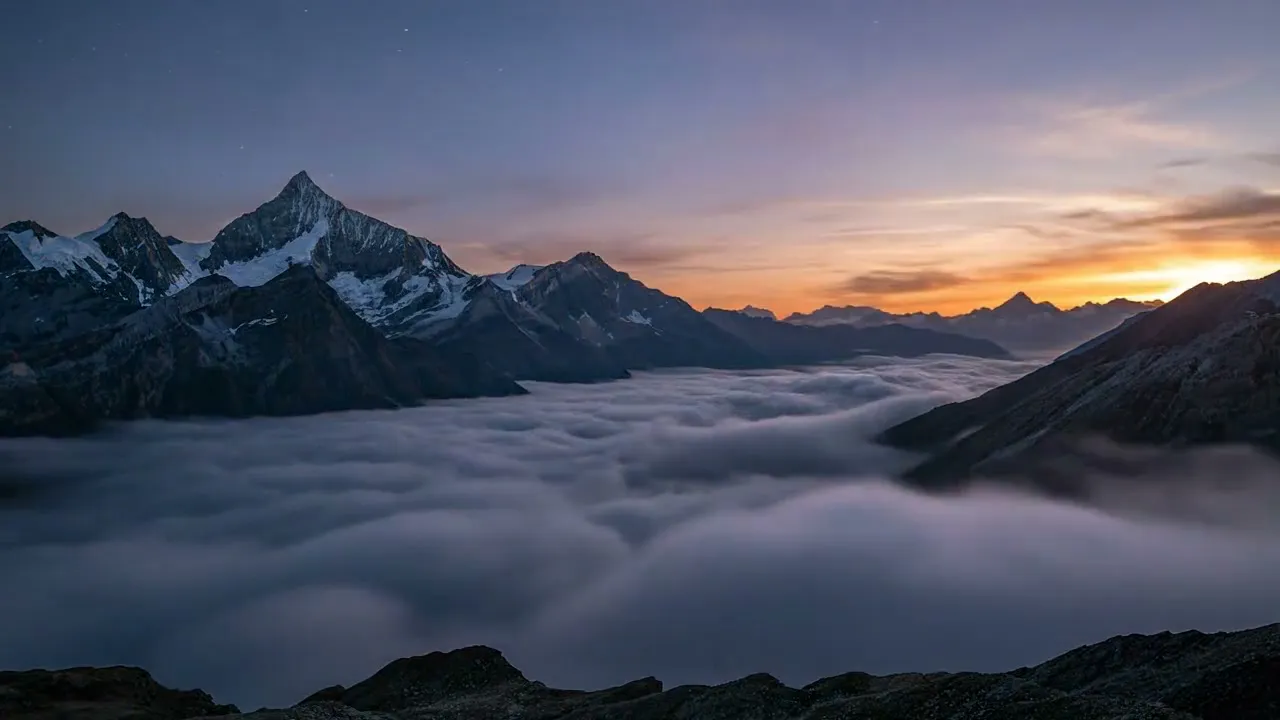
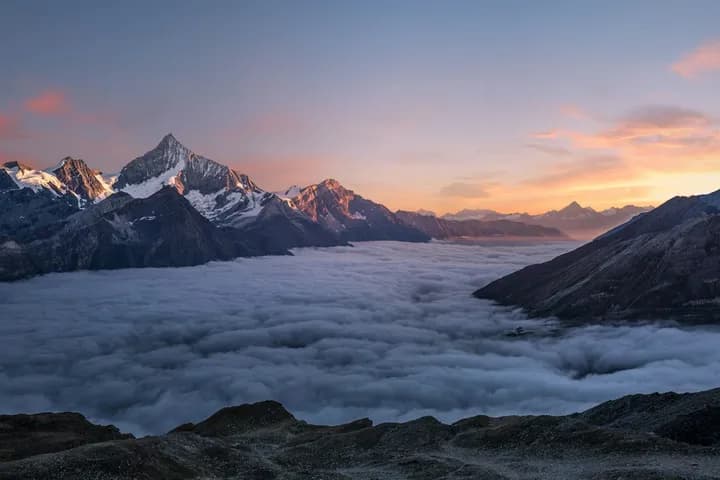 Input photo
Mountain sunset time-lapse
Veo 3.1 · 8 s · 16:9 · 13 credits
Prompt: Locked-off camera on a tripod, no camera movement at all. Keep the layout of the scene from the photo exactly as it is while time speeds up: late-afternoon light turns into warm golden hour, the sun sets, clouds race across the sky, the sky fades through deep blue into night, any windows and street lights in the scene switch on one by one, and stars fill the sky. Smooth, realistic day-to-night time-lapse. No text or logos. No people.
Use this as a template: Time-Lapse Video Template · Input photo: Unsplash
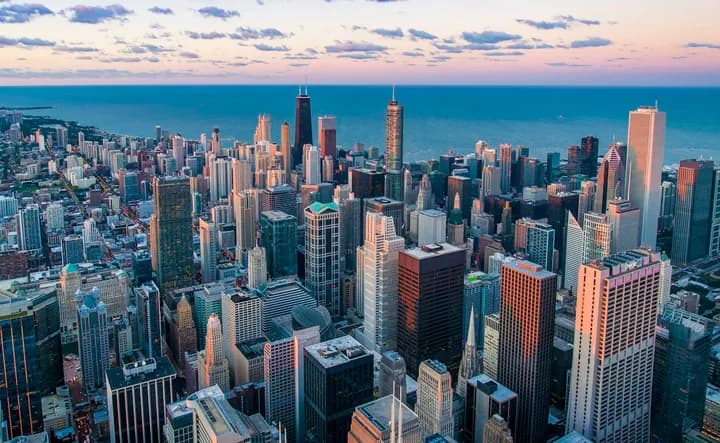 Input photo
City to orbit zoom-out
Veo 3.1 · 8 s · 9:16 · 13 credits
Prompt: Start on the exact scene from the photo, unchanged. Then the camera pulls straight up and away in one smooth, continuous move: the place from the photo shrinks far below, the surrounding land and coastline spread out, the camera rises through a layer of white clouds, the sky fades to black, and the whole Earth comes into view from orbit, a blue planet against the stars. One unbroken shot with no cuts. Photorealistic. No text or logos. No people.
Use this as a template: Earth Zoom Out Video Template · Input photo: Unsplash
How to Turn a Photo Into a Video in 3 Steps
Image to video takes three steps on Kensa, and you see the price before you spend any credits.
- 1
Upload a photo
Use a JPG, PNG or WEBP file up to 10MB. A sharp, well-lit image with one clear subject works best: a product, a pet, a landscape, a building or an illustration. Crop it to the shape you want the video to have before you upload, because Grok Image Video and Seedance 2.5 follow the photo's aspect ratio rather than the one you select. Celebrities, children and brand logos aren't supported, and most models reject photos of real people; you're never charged for a rejection.
- 2
Describe the motion and pick a model
Write what should move and how the camera moves, for example “the camera slowly pushes in while steam rises from the cup”. You don't need to describe what is already in the photo: spend the words on motion, and say what must stay the same, such as a product's shape and label. MiniMax H3 is selected by default; the generator shows the credit cost for your model, length and resolution before you start.
- 3
Generate and download
Press Generate. The clip keeps rendering if you leave the page and shows up in your history when it's done. MiniMax H3 at 480P or 768P usually finishes in under a minute, while its 2K tier takes about 3 minutes for a 5-second clip. Download the MP4, or run the same photo through another model to compare. If a generation fails, its credits are returned.
Which Image to Video Model to Use
Every model below can start from a single photo, but they differ in clip length, resolution, sound and price. The table shows what this image to video generator offers today; credits run from the shortest clip at the lowest resolution to the longest clip at the highest. For specs and sample clips, see the models page and the model benchmark.
| Model | Clip length | Resolution | Sound | Credits per clip | Good for |
|---|---|---|---|---|---|
| MiniMax H3 | 5–15 s | 480P, 768P, 2K (paid plans) | Always included | 8–60 | Quick animations with sound; the default model |
| Grok Image Video | 6 or 10 s | 480P, 720P | No sound setting | 5–15 | The cheapest way to try a motion idea |
| Veo 3.1 | 8 s | 720P | Always included | 13 | Fixed-price clips with sound; used for the examples above |
| Seedance 1.5 Pro | 4–12 s | 480P, 720P, 1080P (paid plans) | On by default, can be turned off | 8–96 | Exact lengths anywhere in its range |
| Seedance 2.5 | 4–30 s | 480P, 720P, 1080P (paid plans) | On by default, can be turned off | 42–1,659 | Long clips that keep your photo's aspect ratio |
Resolutions marked “paid plans” need a paid plan; the free credits for eligible Google sign-ups cover the others. Sound never changes the price. Seedance 2.0 also animates photos, including photos of adults you have permission to use, in its own Seedance 2.0 video generator. Kling 3 is under maintenance on Kensa right now.
Image to Video Prompt Tips
The photo already sets the subject, the setting and the look, so an image to video prompt should spend its words on motion. Cover these four things:
- Subject motion
- What the main subject does: a pet tilts its head, a product turns, water flows. Keep it to one or two movements.
- Camera
- How the camera moves: slow push-in, orbit, tilt up, pull back, or a locked-off camera with no movement at all.
- Surroundings
- What moves around the subject: drifting clouds, falling snow, rising steam, light sweeping across a surface.
- What to keep
- What must not change, such as “keep the product's shape, colors and label exactly as in the photo”. It cuts down on drift with products and pets.
Weak vs. stronger prompts
Weak: “Make it move.”
Stronger: “The camera holds still while the product turns slowly on a turntable, a soft rim light tracing its edges. Keep the product's shape, colors and label exactly as in the photo.”
Says what moves, what the camera does and what must stay the same.
Weak: “Cinematic sunset video.”
Stronger: “Locked-off camera, no movement. Clouds race across the sky, the sun sets and the sky fades into night as stars appear. Keep the layout of the scene exactly as in the photo.”
Turns a mood word into a sequence of changes over time, and keeps the camera still so the scene doesn't warp.
Weak: “A dog dancing.”
Stronger: “The dog from the photo sways side to side and lifts its front paws in a playful rhythm, steady camera at its eye level. Keep its fur color, markings and face exactly as in the photo, with four legs and one tail.”
Refers to “the dog from the photo” instead of describing a new one, and adds body hints that help avoid extra limbs.
For a full walkthrough, read how to turn an image into a video; for more prompt ideas, see our advanced prompting techniques.
What You Can Make with Image to Video
Image to video is the quickest way to get motion out of photos you already own:
Product videos from product photos
Turn a catalog or listing photo into a turntable shot, a slow push-in or a seasonal scene while the product stays recognizable. Start from the product video template, and see e-commerce product videos for more formats. Running ads with the result needs commercial rights, which come with Pro, Ultimate or the Premium pack.
Social posts from photos you already have
A still photo becomes a vertical clip for TikTok, Reels or Shorts: a landscape time-lapse, a zoom out from a city, a pet that moves. Try the time-lapse template or the Earth zoom out template, and see AI videos for social media.
Pets and illustrations
Animate a pet photo or a drawing with small, believable motion: a head tilt, a blink, a tail wag, wind in the background. The pet dancing template has a prompt written to keep the pet's markings intact.
No photo yet?
Describe the scene in words on the text to video tool instead, or browse all video templates for a starting point.
Why Use Kensa for Image to Video
- Upload any photo (JPG, PNG, WEBP up to 10MB)
- Multiple AI models for different animation styles
- Full HD output up to 1080p resolution, plus 2K with MiniMax H3 on paid plans
- Most clips ready in 1-4 minutes
- Commercial use rights with Pro, Ultimate or the Premium pack
How Much Does Image to Video Cost
Kensa charges credits per image to video clip, and the generator shows the exact cost before you press Generate. On this page the cheapest option is a 6-second 480P Grok Image Video clip at 5 credits and the most expensive is a 30-second 1080P Seedance 2.5 clip at 1,659 credits. A Veo 3.1 clip (13 credits) always costs the same, because Veo makes one fixed length. Per-second models scale with length and resolution: a 5-second 768P MiniMax H3 clip is 13 credits. Turning sound on or off doesn't change the price, and if a generation fails, its credits go back to your balance.
Eligible new accounts that sign up with Google get 15 free credits, valid for 72 hours, with no credit card. That covers one 8-second Veo 3.1 clip (13 credits), one 5-second 768P MiniMax H3 clip (13 credits) or three 6-second 480P Grok Image Video clips (5 credits each). Accounts created with an email link don't get free credits. 1080P and 2K need a paid plan.
After that, you can buy credits once or subscribe. Credit packs start at $14.90 for 280 credits, about $0.69 per Veo 3.1 clip, and pack credits stay valid for 365 days. Subscriptions start at $9.90 a month for 280 credits, which last 30 days. Every plan and pack is on the pricing page.